


Every photo you upload to your gallery deserves a title that actually describes it, alt text that helps search engines find it, and a caption that tells its story. But writing that metadata by hand for dozens of images is a task most WordPress site owners skip entirely, or put off until it’s too late. Starting today, Envira Gallery does it for you.
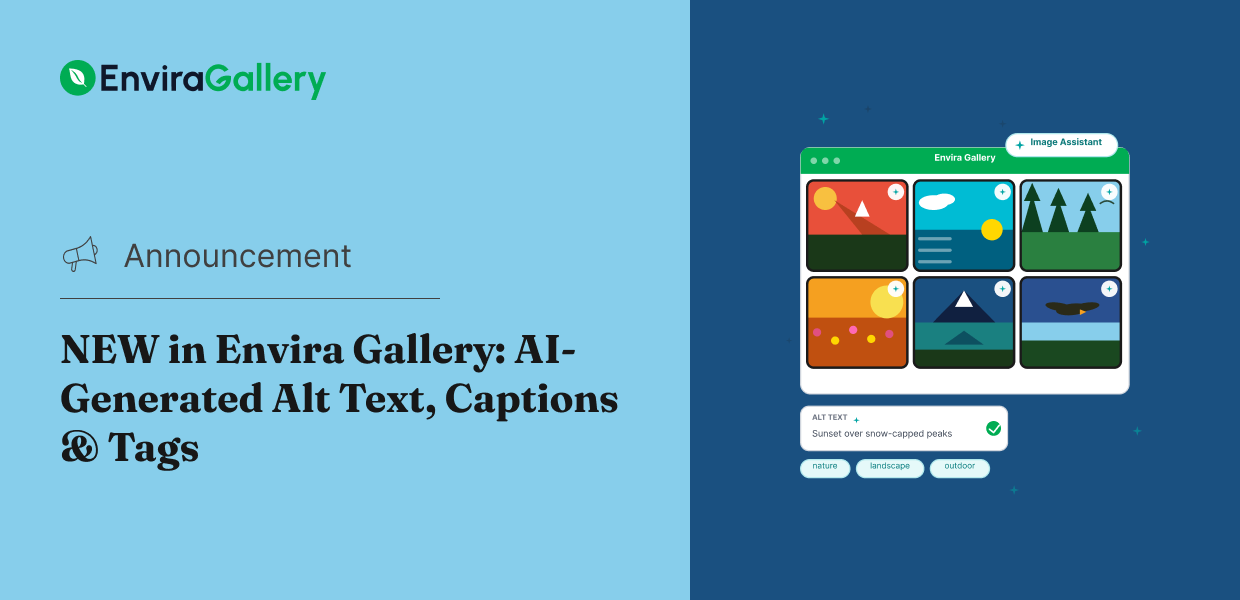
The new Envira AI Image Assistant is a built-in AI tool that generates alt text, captions, tags, and title cleanups directly from your gallery editor. Review the suggestions, regenerate anything that doesn’t land right, and accept what works. You never have to leave your WordPress dashboard.
Why Image Metadata Matters More Than You Think
When a visitor searches Google for a photographer in their city, or hunts for a specific type of image, what helps your photos show up in results isn’t just the image itself. It’s the alt text, title, and tags attached to it. Skip those fields and you’re invisible to both search engines and screen readers.
The problem isn’t that people don’t know this. It’s that filling in metadata for a full gallery, one photo at a time, takes time most creators don’t have. That’s the gap the Image Assistant fills.
Envira AI Image Assistant: Your Gallery’s Metadata, Written Automatically
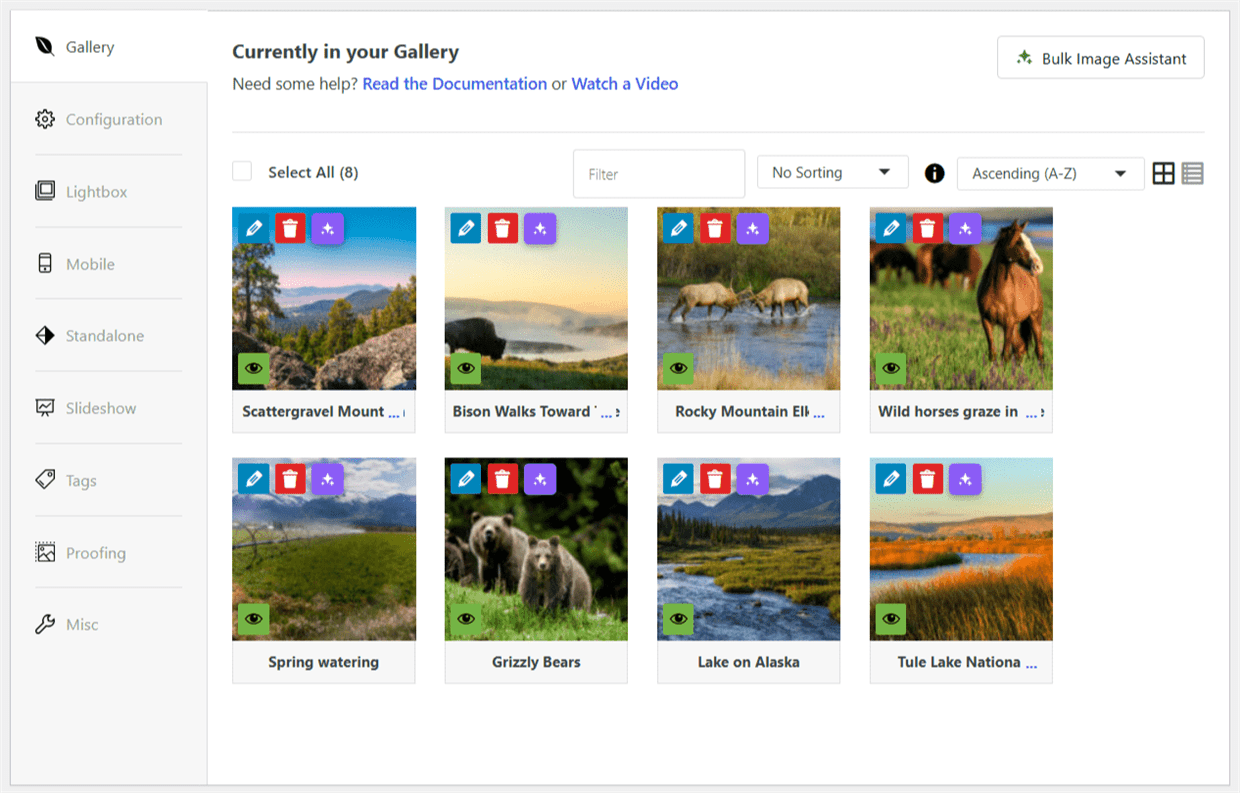
The Image Assistant lives right inside the Envira Gallery editor. Open it for any image, select the fields you want to fill in (Alt Text, Caption, Tags, or Title Cleanup), hit Generate, and within seconds you have ready-to-use suggestions. Review each one, regenerate anything you want changed, and accept what works.
Writing Metadata for a Single Image
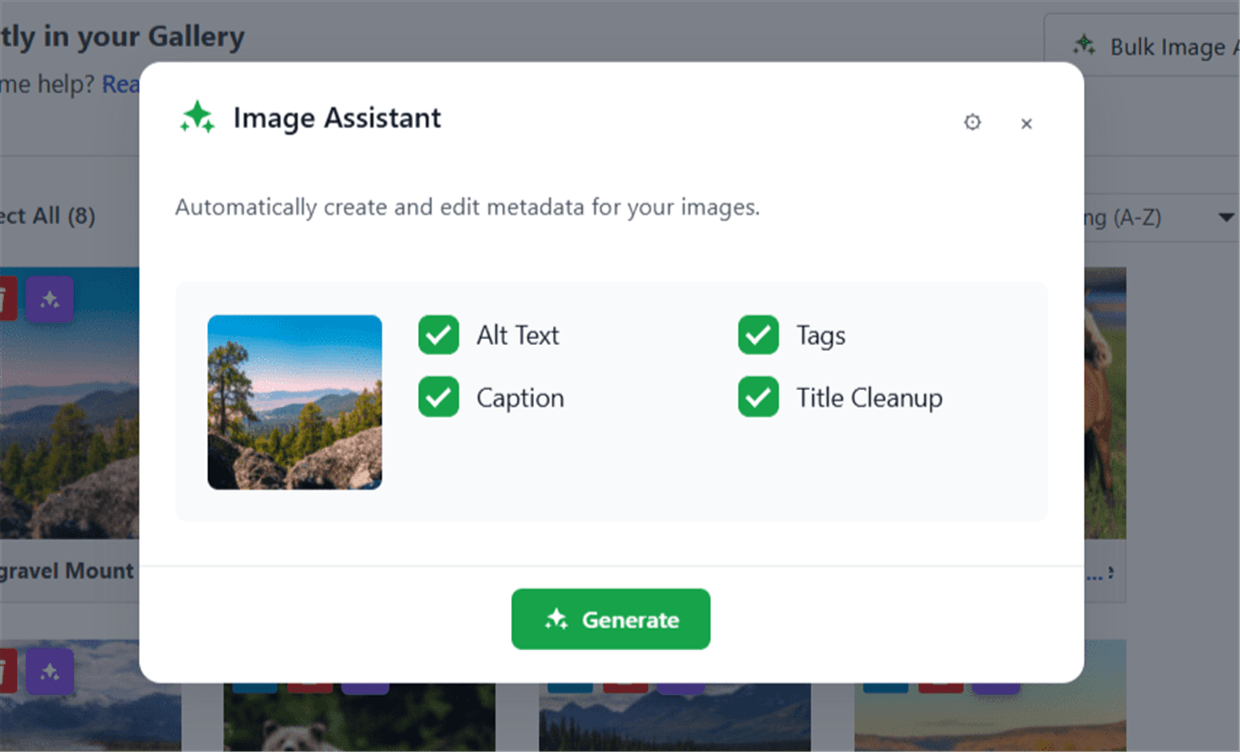
The sparkle icon on any image thumbnail opens the Image Assistant for that specific photo. You’ll see a preview of the image alongside four fields: Alt Text, Caption, Tags, and Title Cleanup. Check the ones you want to fill in, then click Generate.
The AI reads the image and returns a suggested value for each selected field. Not happy with one? Hit Regenerate. It produces a different result each time. Once everything looks right, Accept All writes the metadata directly to that image in your gallery.
Processing an Entire Gallery at Once
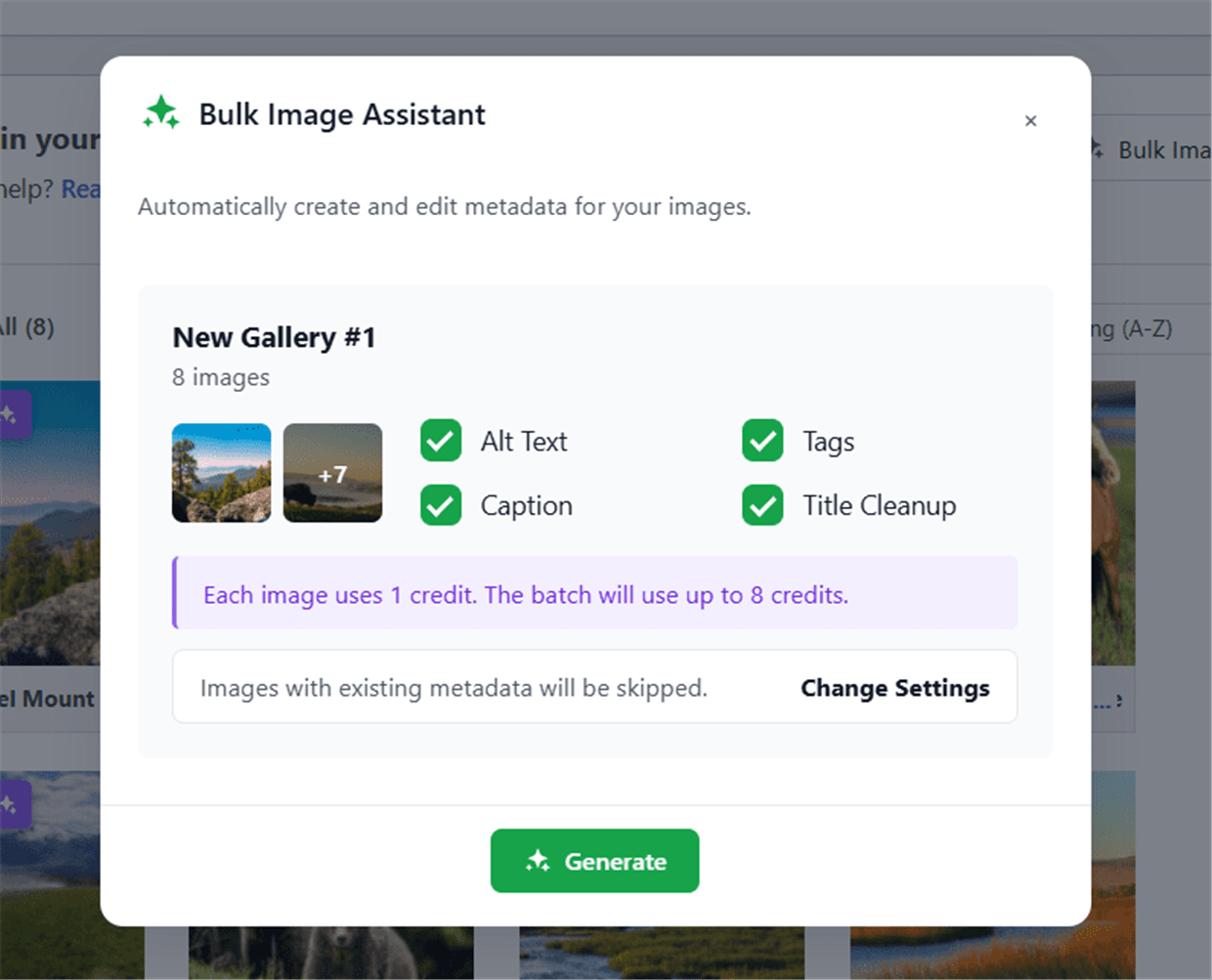
For galleries with a lot of images, the Bulk Image Assistant handles all of them in one go. Click the Bulk Image Assistant button at the top of your gallery editor, choose which metadata fields to generate, and review the credit cost before starting. The batch runs in the background while you keep working. Images that already have metadata are skipped automatically, so you only use credits where they’re actually needed.
Auto-Generate on Upload
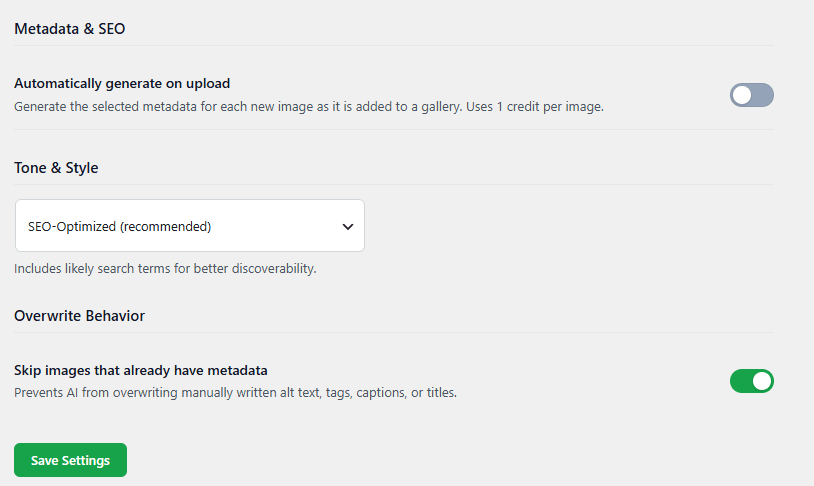
If you’d rather not think about metadata at all, there’s a setting to auto-generate it whenever you add new images to a gallery. Turn it on once, and every new upload gets AI-written alt text, captions, tags, and a clean title from the moment it’s added. You’ll find it in your Envira Gallery settings under Image Assistant.
How AI Credits Work
The Image Assistant runs on AI credits. Every Envira Pro, Ultra, and Elite license includes a set of credits per year. Each image processed uses one credit, whether you’re running a single image or a full bulk batch. When you need more, additional credit packs are available to purchase from your Envira account. You can track your remaining credits directly in your Envira Gallery settings under Credit Usage.
Start Writing Better Image Metadata Today
Envira AI Image Assistant is available now for Envira Pro plans and above. To get started, open any gallery in your WordPress admin, look for the sparkle icon on any image thumbnail, and give it a try. If you’re on a lower plan or need more credits, upgrading takes just a minute from your Envira account.
Try Envira AI Image Assistant Today
Available on Pro plans and above. Get AI-generated alt text, captions, tags, and title cleanups for every photo in your gallery.
Ready to dig deeper into image metadata and SEO for your gallery? Here are some guides to help:
- Introducing NEW Envira AI: Generate Custom Gallery Images
- How to Write Alt Tags for Your Gallery Images
- Image Alt Text vs. Image Title in WordPress
- How to Tag Images in WordPress & Add Media Library Categories
- SEO for Photographers: 22 Proven Tips to Rank
Want to see what else is new in Envira Gallery? Check out our full blog for the latest tutorials, feature releases, and photography tips.